Skip to main content
Installation guide
1- Get the modrinth app
https://modrinth.com/app
2- Run the app
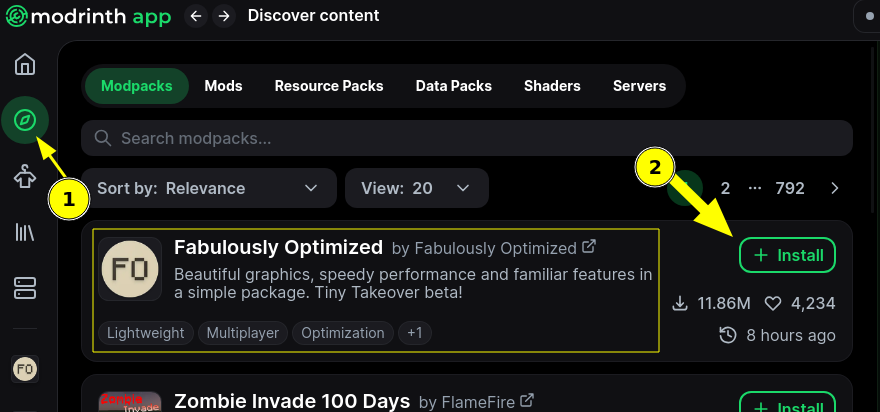
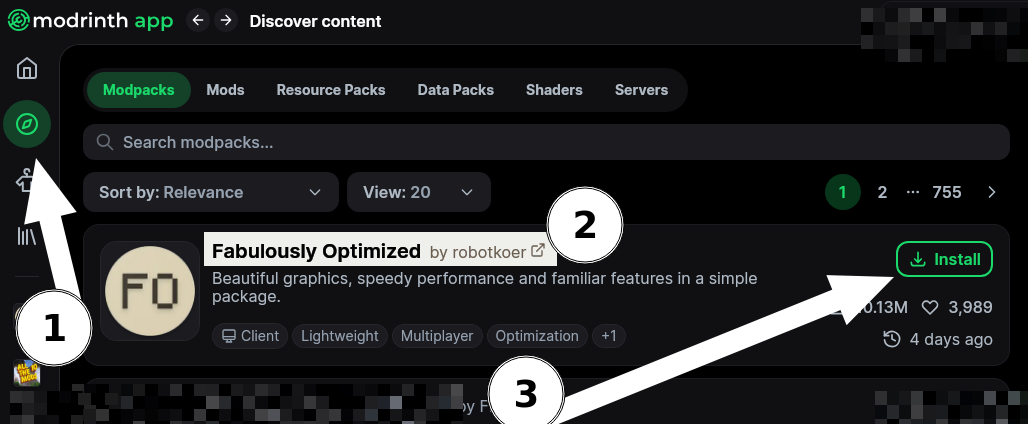
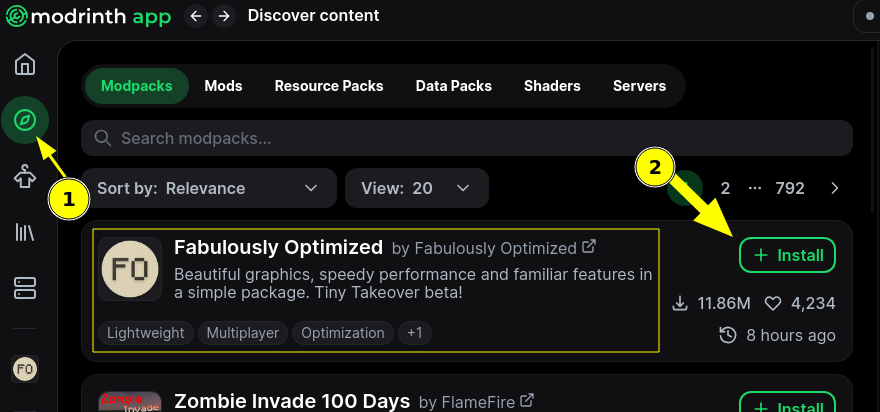
3- Go to "Discovery" Tab
4- First Should be "Fabulously optimized" if not user the search for it in the search bar "Search modpacks..."
5- Click install
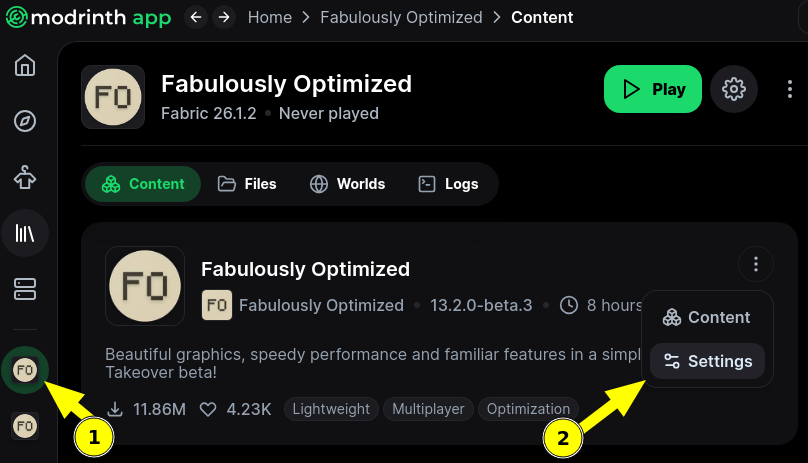
7-6- Follow through until you see a play button, DONT press it yet
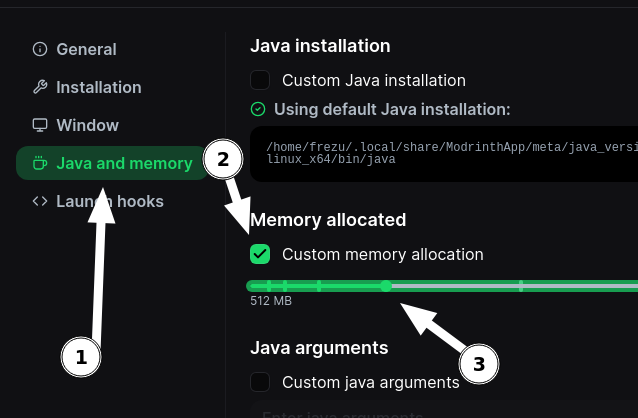
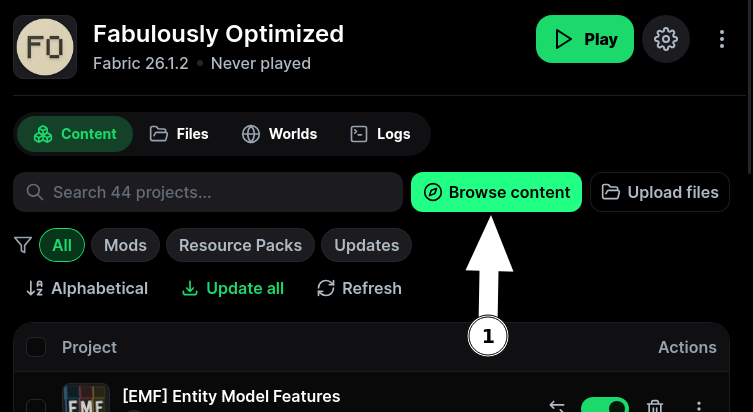
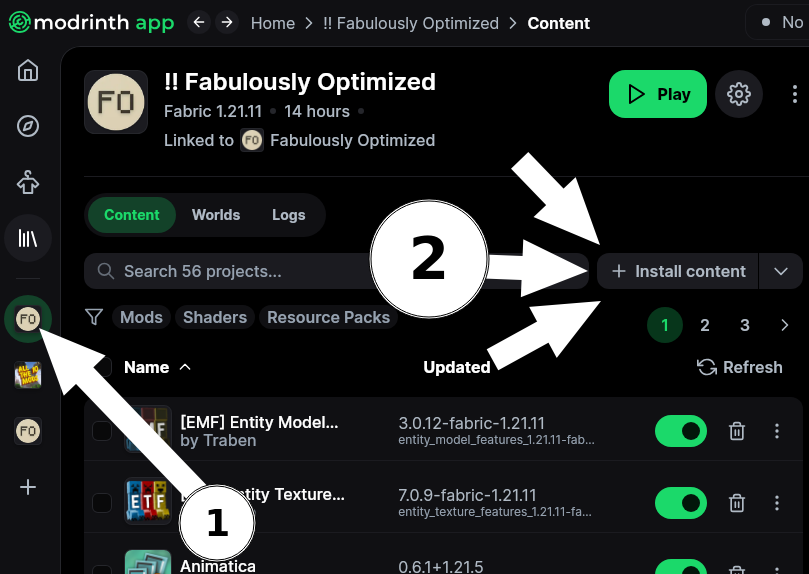
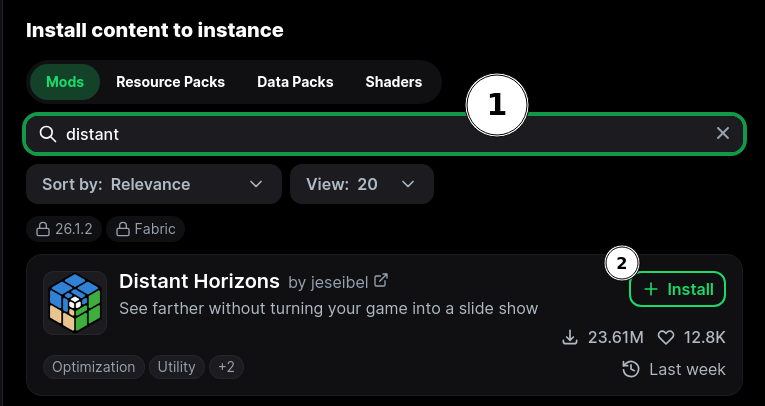
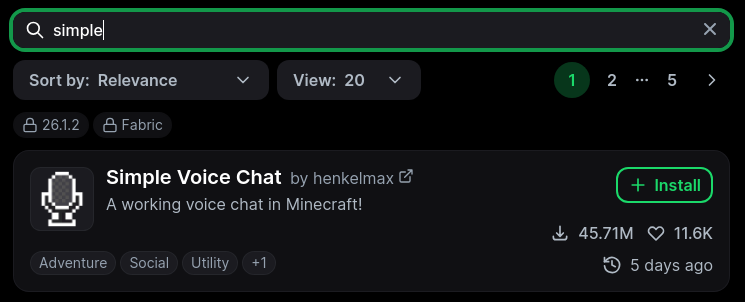
8-7- Install some more content to the modpack
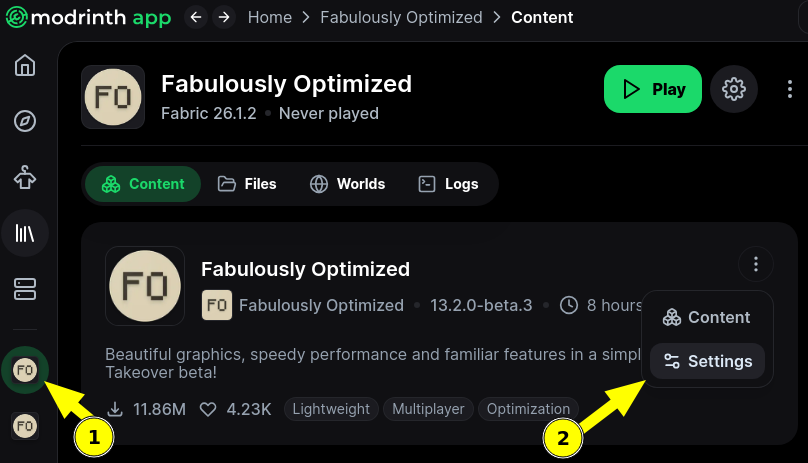
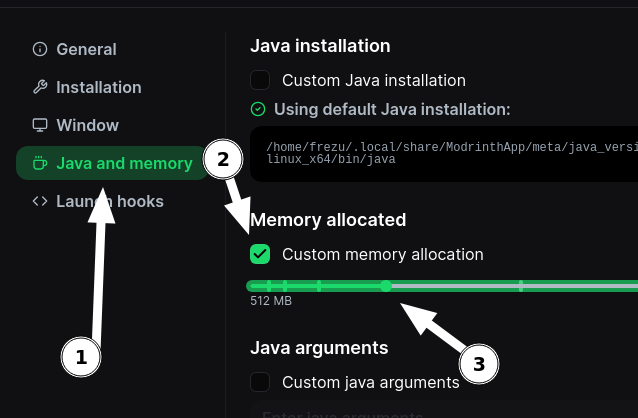
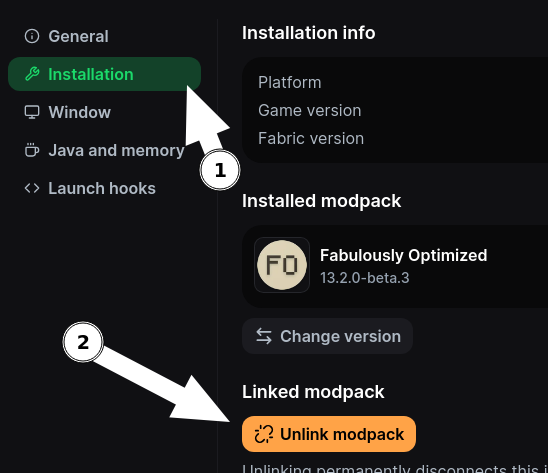
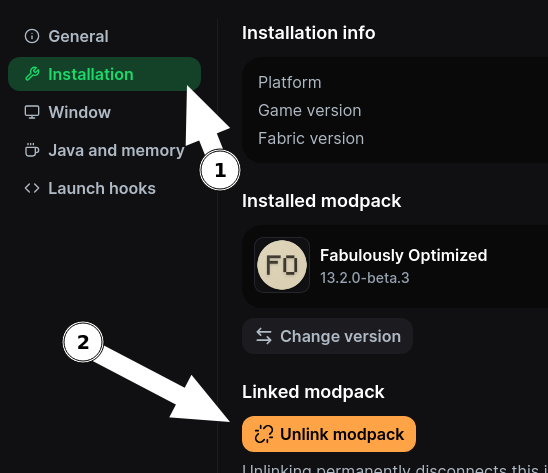
8- Unlink the modpack so you can add some mods manually
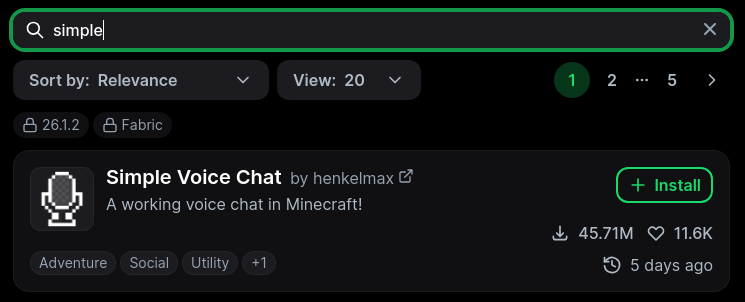
9- InstallOK Simple(croix voiceen chathaut)
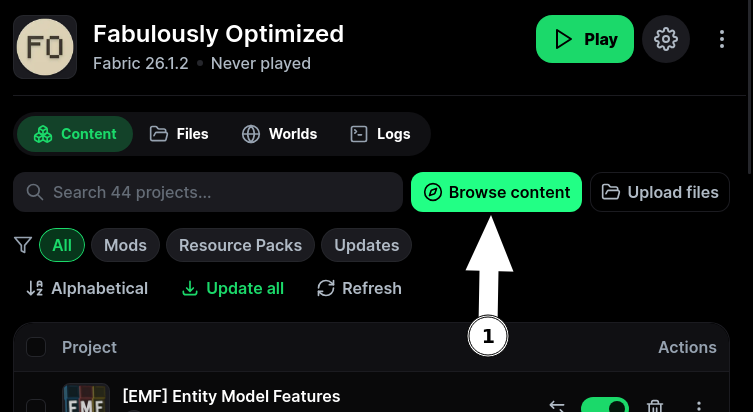
10- Go to add content
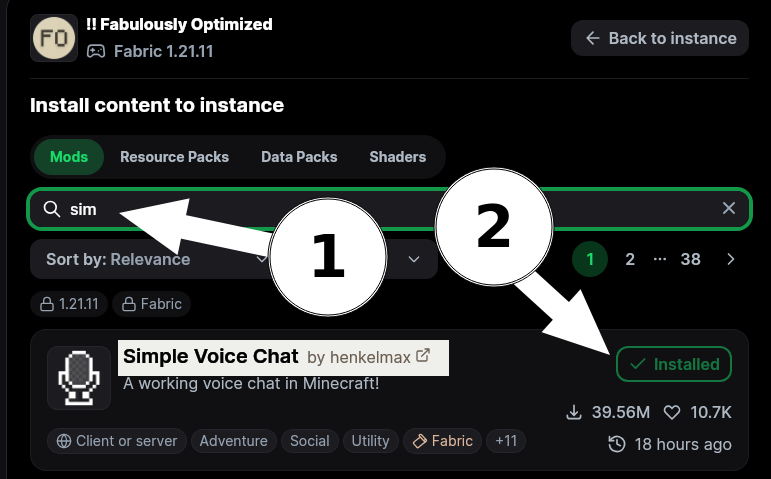
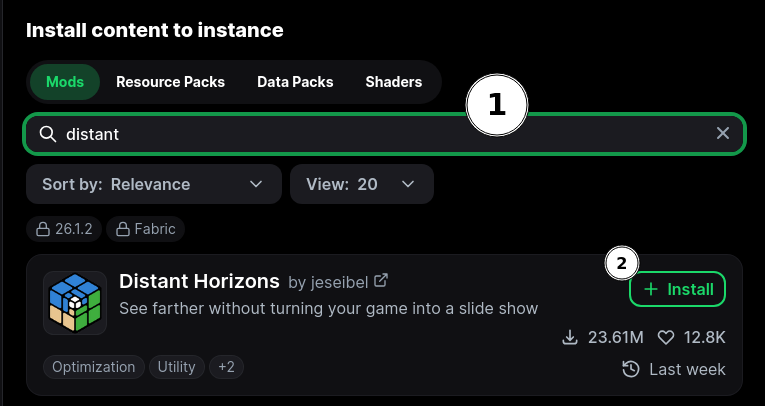
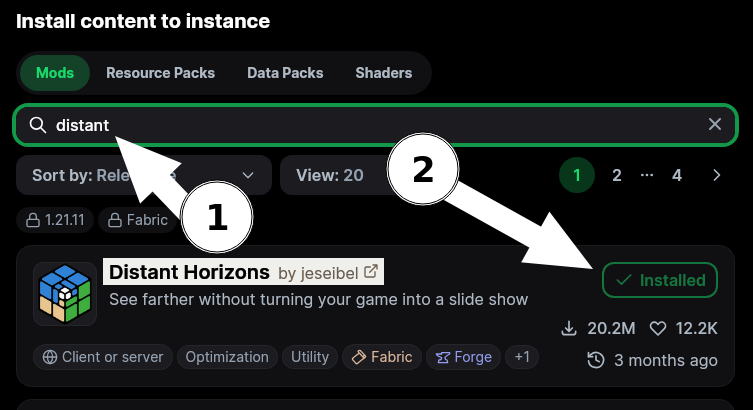
10-11- InstallAdd Distantmods Horizonsas followed


You did it !!!
You can now go "back to instance"
and start the pack